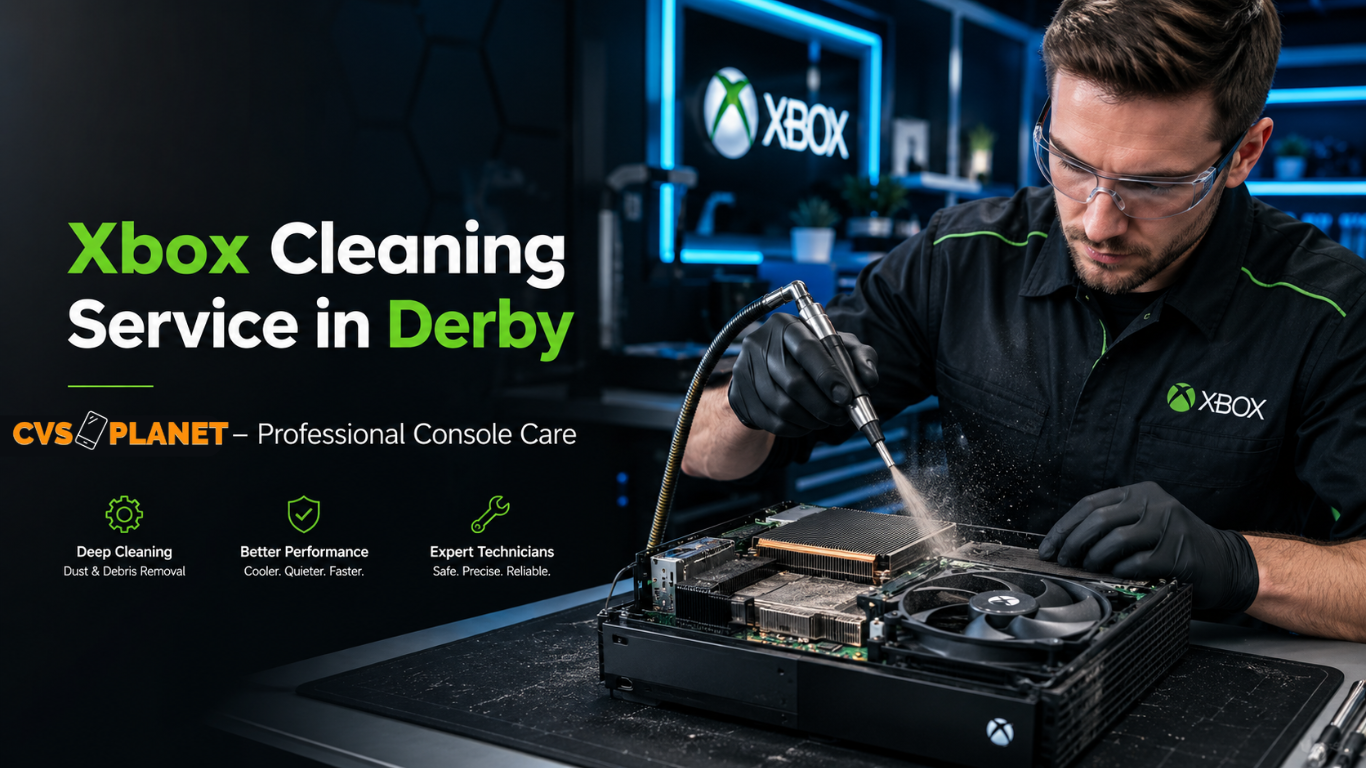
Xbox Cleaning Near Me in Derby, UK
If you are searching for Xbox cleaning near me in Derby, UK, keeping your gaming console clean is one of the most important steps to maintain its performance, prevent overheating, and extend its lifespan. Over time, dust, dirt, pet hair, and debris build up inside Xbox consoles, restricting airflow and forcing internal cooling components to work harder. This can lead to loud fan noise, overheating warnings, game crashes, unexpected shutdowns, and reduced gaming performance.
At CVSplanet, we provide professional Xbox cleaning services for gamers throughout Derby and the surrounding areas. Our experienced technicians carefully clean internal and external components to remove accumulated dust and contaminants while helping restore proper airflow and cooling efficiency.
Address: 42 Pear Tree Rd, Derby DE23 6PY, United Kingdom
Whether you own an Xbox Series X, Xbox Series S, Xbox One X, Xbox One S, or the original Xbox One, regular maintenance can help keep your console operating smoothly for years.
Why Xbox Cleaning Is Important
Many Xbox owners underestimate how much dust can accumulate inside a gaming console. Even in clean homes, microscopic particles are constantly circulating through the air. Since Xbox consoles rely on powerful cooling systems that pull air through vents, dust eventually collects on fans, heatsinks, ventilation channels, and internal components.
Without proper cleaning, this buildup can cause:
- Overheating issues
- Reduced airflow
- Loud cooling fan noise
- Slower system performance
- Random shutdowns
- Game freezing
- System crashes
- Thermal stress on internal components
- Reduced the lifespan of hardware
Professional cleaning helps remove these contaminants and restore proper cooling performance.
Signs Your Xbox Needs Cleaning
Many gamers continue to use their consoles despite obvious warning signs that an internal cleaning is overdue.
Common symptoms include:
Excessive Fan Noise
If your Xbox fan sounds louder than normal, dust accumulation may be forcing the cooling system to work harder.
Overheating Warnings
Modern Xbox consoles include thermal protection systems. Frequent overheating messages indicate airflow problems.
Unexpected Shutdowns
An Xbox that suddenly powers off during gameplay may be overheating.
Hot Air Exhaust
While warm air is normal, excessively hot exhaust air may indicate blocked cooling pathways.
Slow Performance
Thermal throttling can occur when components become too hot, reducing overall system performance.
Dust Visible in Vents
If you can see dust around the ventilation grills, there is often much more dust inside the console.
Burning Smell
Dust accumulation on hot components can sometimes create unusual odors.
Reduced Gaming Performance
Frame drops, freezing, and lag may occur when internal hardware overheats.
If you notice any of these signs, professional Xbox cleaning may help restore proper operation.
Xbox Models We Clean
Our Xbox cleaning service covers all major Xbox console generations.
Xbox Series X Cleaning
The Xbox Series X features a powerful cooling design that can still accumulate dust over time. Internal cleaning helps maintain airflow and cooling performance.
Xbox Series S Cleaning
Although compact, the Xbox Series S can collect dust in its cooling system and vents.
Xbox One X Cleaning
The Xbox One X generates significant heat during gaming sessions and benefits from periodic maintenance.
Xbox One S Cleaning
Regular cleaning helps prevent overheating and excessive fan noise in Xbox One S consoles.
Xbox One Cleaning
Older Xbox One systems often contain years of accumulated dust and may require deep cleaning services.
What Causes Xbox Dust Buildup?
Dust naturally enters Xbox consoles through cooling vents as air circulates within the system.
Common causes include:
Carpet Placement
Consoles placed directly on carpets often collect dust more quickly.
Pet Hair
Homes with cats and dogs typically experience increased dust and hair accumulation.
Smoking Environments
Smoke particles can create sticky residue that traps dust inside consoles.
Poor Ventilation
Limited airflow around the console increases heat and dust buildup.
Long Gaming Sessions
Extended gaming sessions continuously draw air through the cooling system.
Unclean Rooms
Dusty environments accelerate contamination of internal components.
Benefits of Professional Xbox Cleaning
Professional cleaning provides significantly better results than simply wiping external surfaces.
Benefits include:
Improved Cooling Performance
Removing dust restores proper airflow throughout the system.
Reduced Fan Noise
Clean cooling components often operate more quietly.
Better Gaming Stability
Lower operating temperatures help improve reliability.
Prevention of Overheating
Proper airflow reduces thermal stress.
Extended Console Lifespan
Reduced heat exposure helps protect sensitive components.
Improved System Efficiency
Cooling systems function more effectively after cleaning.
Protection of Internal Hardware
Heat-related damage can often be prevented through maintenance.
Enhanced Gaming Experience
A cooler, quieter Xbox contributes to more enjoyable gaming sessions.
Our Xbox Cleaning Process
At CVSplanet, we follow a detailed cleaning process designed to improve console performance while protecting sensitive electronics.
Initial Inspection
We examine the console for overheating, dust accumulation, and other visible issues.
Safe Disassembly
The console is carefully opened using appropriate tools.
Internal Dust Removal
Compressed air and specialized cleaning equipment are used to remove dust and debris.
Cooling Fan Cleaning
Fans are cleaned thoroughly to restore efficient operation.
Heatsink Cleaning
Dust buildup on heatsinks is removed to improve heat dissipation.
Vent Cleaning
Air vents and airflow pathways are cleaned to maximize circulation.
Internal Component Inspection
Technicians inspect major components for signs of overheating or damage.
Reassembly
The Xbox is carefully reassembled according to manufacturer standards.
Performance Testing
Cooling performance and system functionality are tested before completion.
Xbox Overheating Problems We Commonly See
Overheating is one of the most common Xbox issues.
Typical causes include:
- Dust-clogged heatsinks
- Blocked ventilation
- Dirty cooling fans
- Poor airflow
- Thermal stress
- Environmental contamination
- Pet hair accumulation
- Restricted exhaust vents
Professional cleaning often resolves these issues before more serious hardware damage occurs.
How Often Should an Xbox Be Cleaned?
The ideal cleaning schedule depends on usage and environment.
Casual Gamers
A professional cleaning every 12–18 months is typically sufficient.
Regular Gamers
Cleaning every 6–12 months helps maintain optimal performance.
Heavy Gamers
Consoles used daily may benefit from cleaning every 6 months.
Homes with Pets
Pet hair accelerates contamination and may require more frequent maintenance.
Dusty Environments
Additional cleaning intervals may be necessary.
Can Dust Damage an Xbox?
Yes. Excessive dust can contribute to several problems.
Potential risks include:
- Overheating
- Reduced airflow
- Thermal throttling
- Fan strain
- Increased wear
- Unexpected shutdowns
- Hardware stress
- Reduced component lifespan
Routine maintenance helps minimize these risks.
Why DIY Xbox Cleaning Can Be Risky
Many online guides encourage users to clean consoles themselves, but improper handling can create additional problems.
Potential risks include:
Accidental Damage
Internal components can be damaged by incorrect disassembly.
Broken Connectors
Ribbon cables and connectors are delicate.
Static Electricity
Electrostatic discharge can harm electronic components.
Improper Reassembly
Incorrect assembly may create operational issues.
Warranty Concerns
Unauthorized repairs may affect warranty coverage.
Professional cleaning helps reduce these risks while ensuring proper maintenance.
Xbox Fan Cleaning Service
The cooling fan plays a critical role in temperature management.
Over time, fan blades accumulate dust, causing:
- Increased noise
- Reduced airflow
- Poor cooling performance
- Overheating
Professional fan cleaning helps restore proper operation and airflow.
Xbox Vent Cleaning Service
Blocked vents restrict airflow and trap heat inside the console.
Cleaning ventilation systems helps:
- Improve airflow
- Lower temperatures
- Reduce overheating
- Improve cooling efficiency
Vent maintenance is an important part of every Xbox cleaning service.
Xbox Internal Dust Removal
Internal dust accumulation is often far greater than what is visible externally.
Our deep cleaning process targets:
- Cooling fans
- Heatsinks
- Internal vents
- Motherboard areas
- Power supply areas
- Airflow channels
This comprehensive approach helps maximize cooling performance.
Xbox Maintenance for Better Gaming Performance
Preventive maintenance is one of the best investments a gamer can make.
Regular cleaning can help:
- Maintain stable performance
- Reduce system noise
- Improve cooling
- Prevent overheating
- Increase reliability
- Protect hardware
Many performance-related complaints are linked to the excessive internal dust.
Why Derby Gamers Choose CVSplanet
CVSplanet is committed to providing professional console maintenance services for local gamers.
Reasons customers trust our service include:
- Experienced technicians
- Careful console handling
- Thorough cleaning procedures
- Attention to detail
- Focus on long-term reliability
- Support for multiple Xbox models
- Convenient Derby location
- Customer-focused service
We understand how important gaming systems are and aim to help customers keep their consoles performing at their best.
Xbox Cleaning Near Me – FAQs
How do I know if my Xbox needs cleaning?
Common signs include loud fan noise, overheating warnings, unexpected shutdowns, and visible dust in vents.
Can cleaning improve Xbox performance?
If overheating is affecting performance, cleaning may help restore proper cooling and stability.
How long does Xbox cleaning take?
Service times vary depending on the model and level of dust accumulation.
Is Xbox cleaning worth it?
Regular cleaning helps maintain airflow, reduce heat, and support long-term console reliability.
Can dust cause Xbox shutdowns?
Yes. Excessive dust buildup can restrict airflow and contribute to overheating-related shutdowns.
Do Xbox Series X and Series S need cleaning?
Yes. Both consoles can accumulate dust and benefit from periodic maintenance.
How often should I clean my Xbox?
Most consoles benefit from professional cleaning every 6–12 months, depending on usage and environment.
Will cleaning stop fan noise?
If dust buildup is causing excessive fan activity, cleaning may significantly reduce noise levels.
Can pet hair affect Xbox cooling?
Yes. Pet hair can clog vents and cooling systems, reducing airflow.
Do you clean older Xbox models?
Yes. Cleaning services are available for Xbox Series X, Series S, Xbox One X, Xbox One S, and original Xbox One consoles.
Contact CVSplanet for Xbox Cleaning in Derby
If you are looking for reliable Xbox cleaning near me in Derby, professional maintenance can help keep your console running cooler, quieter, and more efficiently. Dust accumulation is one of the leading causes of overheating and performance issues, making routine cleaning an essential part of Xbox ownership.
CVSplanet provides professional Xbox cleaning services for gamers throughout Derby and nearby areas.
CVSplanet
42 Pear Tree Rd, Derby DE23 6PY, United Kingdom
Book your Xbox cleaning service today and help protect your gaming console from overheating, excessive dust buildup, and avoidable performance problems while extending its lifespan for years of gaming enjoyment.
